DVE Connectors — Secret Injection Setup
Use this guide to inject DVE secrets into CI/CD pipelines, Kubernetes workloads, and automated scripts without installing the DVE Agent on the runner. Connectors are client-side packages in the PK-DVE-Connectors repository.
Section 1 — Overview
What connectors are. The @phantomkey/dve-connector-* packages are Node.js clients that pull secrets from DVE's agentless secret vending API using a service account credential. Each connector:
- Issues a short-lived access token (
POST /api/org/:org_id/service-accounts/:id/token)
- Fetches the secret value (
GET /api/org/:org_id/secrets/:secret_id/agentless-value)
- Injects the value into the runtime environment (GitHub Actions env, GitLab shell script, Kubernetes volume files, or shell exports)
DVE does not push secrets to external platforms — connectors pull over HTTPS.
When to use them. CI/CD pipelines (GitHub Actions, GitLab CI, Jenkins, CircleCI), Kubernetes init containers or sidecars, and any automated job that needs machine identity access to secrets.
What they are NOT. Connectors do not replace the DVE Agent for human users. Employees and contractors still need the local DVE Agent for interactive credential access, encryption, and decryption on their endpoints. Connectors are the machine identity path only.
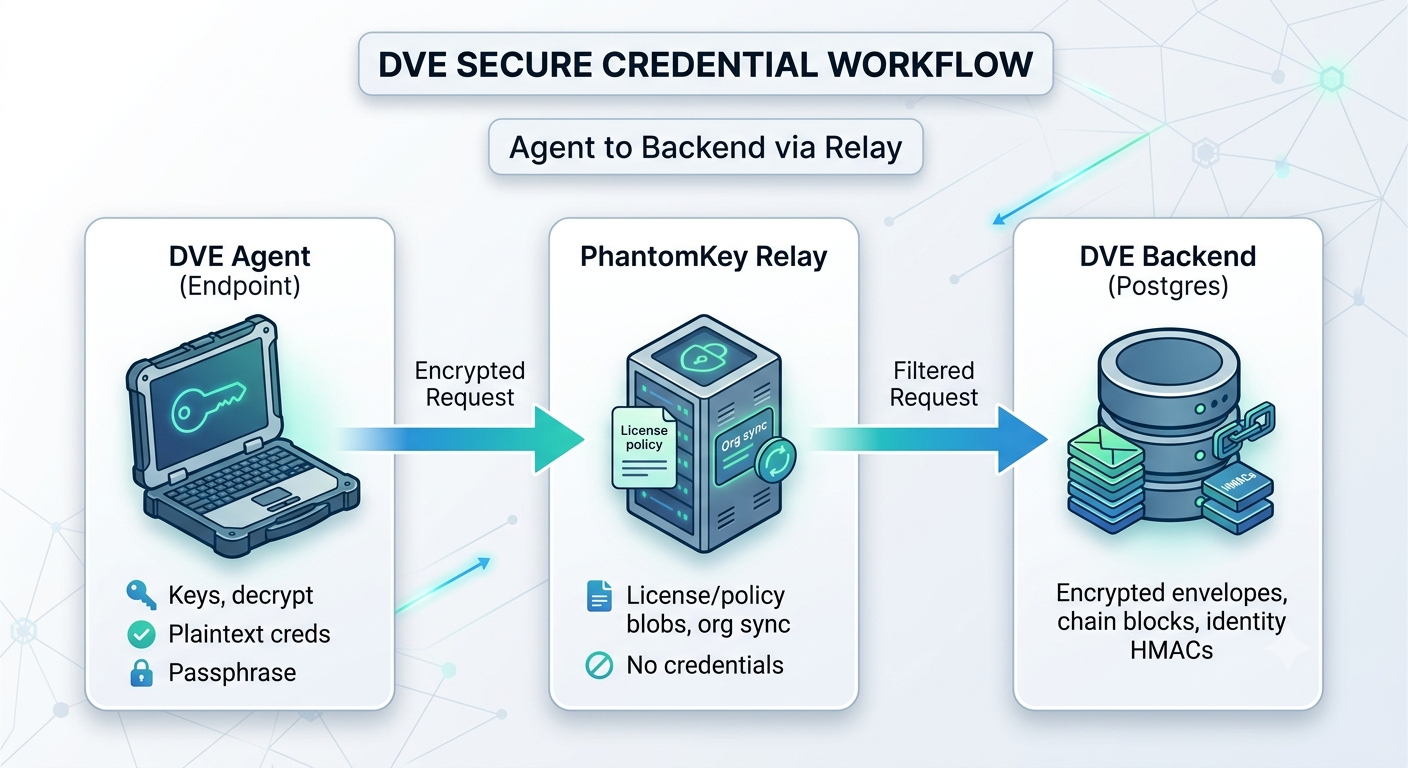
Architecture note. Agentless vending is an intentional exception to the default agent-required model: the server vends pre-encrypted agentless envelope values for scoped service accounts when the org enables hybrid mode. Human credential decryption still requires the agent and user passphrase. See the Security architecture docs for the zero-existence model.
| Package |
Use case |
@phantomkey/dve-connector-github |
GitHub Actions |
@phantomkey/dve-connector-gitlab |
GitLab CI |
@phantomkey/dve-connector-kubernetes |
Kubernetes init container / sidecar |
@phantomkey/dve-connector-cli |
Generic shell / any CI with Node.js |
@phantomkey/dve-connector-core |
Shared API client (used by all four) |
Section 2 — Prerequisites
Complete these steps before configuring a connector.
Org settings
Enable hybrid secret vending — required for agentless fetches.
- Admin Dashboard: Settings → Deployment → enable hybrid secret vending (or equivalent org policy control).
- API:
POST /api/org/:org_id/policy/secret-vending/enable-hybrid (Super Admin / Security Admin with appropriate capability).
Confirm secret_vending_mode is hybrid (not agent_only).
Service account
- Provision a service account with
vend_mode: agentless and a narrow allowed_secret_ids list.
- API:
POST /api/org/:org_id/service-accounts (agent-authenticated admin).
- Issue an API key:
POST /api/org/:org_id/service-accounts/:service_account_id/issue-key.
- Store the raw API key in your CI/CD secret store — it is shown once.
Secrets in DVE
- Each secret must exist in the org vault.
- For agentless vending, the secret must have an agentless envelope uploaded (hybrid mode workflow).
- The service account's
allowed_secret_ids must include every secret UUID you map in the connector.
Environment variables (all connectors)
DVE_API_URL=https://your-dve-backend.example.com   # HTTPS required
DVE_ORG_ID=xxxxxxxx-xxxx-xxxx-xxxx-xxxxxxxxxxxx    # Org UUID
DVE_SERVICE_ACCOUNT_ID=xxxxxxxx-xxxx-xxxx-xxxx-xxxxxxxxxxxx
DVE_SERVICE_ACCOUNT_KEY=your-service-account-api-key  # Sensitive — use secret store
Connectors map DVE secret UUIDs to environment variable names using newline-separated lines:
xxxxxxxx-xxxx-xxxx-xxxx-xxxxxxxxxxxx=DATABASE_PASSWORD
yyyyyyyy-yyyy-yyyy-yyyy-yyyyyyyyyyyy=API_KEY
Section 3 — GitHub Actions
What it does. Fetches DVE secrets and injects them as masked environment variables for subsequent workflow steps via GITHUB_ENV.
Quick start
Store credentials as GitHub secrets (sensitive) and variables (non-sensitive):
| Name |
GitHub storage |
Sensitive |
DVE_API_URL |
Repository variable |
No |
DVE_ORG_ID |
Repository variable |
No |
DVE_SERVICE_ACCOUNT_ID |
Repository secret |
Yes |
DVE_SERVICE_ACCOUNT_KEY |
Repository secret |
Yes |
Workflow example
When the action is published to GitHub Marketplace, reference it by tag. Until then, install from npm in a composite step or use a local action path.
jobs:
  deploy:
    runs-on: ubuntu-latest
    steps:
      - uses: actions/checkout@v4

      - name: Inject DVE secrets
        uses: phantomkey/dve-connector-github@v1
        with:
          dve_api_url: ${{ vars.DVE_API_URL }}
          org_id: ${{ vars.DVE_ORG_ID }}
          service_account_id: ${{ secrets.DVE_SERVICE_ACCOUNT_ID }}
          service_account_key: ${{ secrets.DVE_SERVICE_ACCOUNT_KEY }}
          secrets: |
            xxxxxxxx-xxxx-xxxx-xxxx-xxxxxxxxxxxx=DATABASE_PASSWORD
            yyyyyyyy-yyyy-yyyy-yyyy-yyyyyyyyyyyy=API_KEY

      - name: Deploy application
        run: npm run deploy
        env:
          DATABASE_PASSWORD: ${{ env.DATABASE_PASSWORD }}
          API_KEY: ${{ env.API_KEY }}
Alternative using npm directly (no marketplace action):
      - name: Inject DVE secrets (npm)
        env:
          DVE_API_URL: ${{ vars.DVE_API_URL }}
          DVE_ORG_ID: ${{ vars.DVE_ORG_ID }}
          DVE_SERVICE_ACCOUNT_ID: ${{ secrets.DVE_SERVICE_ACCOUNT_ID }}
          DVE_SERVICE_ACCOUNT_KEY: ${{ secrets.DVE_SERVICE_ACCOUNT_KEY }}
          INPUT_SECRETS: |
            xxxxxxxx-xxxx-xxxx-xxxx-xxxxxxxxxxxx=DATABASE_PASSWORD
        run: |
          npm install -g @phantomkey/dve-connector-github@0.1.0
          node -e "require('@phantomkey/dve-connector-github').runGithubConnector()"
Security: Never commit DVE_SERVICE_ACCOUNT_KEY to the repository. The connector masks values in logs before writing to GITHUB_ENV.
Full parameter reference: PK-DVE-Connectors packages/github/action.yml
Section 4 — GitLab CI
What it does. Fetches secrets and writes a sourceable shell script (dve-secrets.sh by default) with export VAR='value' lines.
CI/CD variables
Configure in GitLab → Settings → CI/CD → Variables:
| Variable |
Masked |
Protected |
DVE_API_URL |
No |
Optional |
DVE_ORG_ID |
No |
Optional |
DVE_SERVICE_ACCOUNT_ID |
Yes |
Recommended |
DVE_SERVICE_ACCOUNT_KEY |
Yes |
Recommended |
Set DVE_SECRET_MAPPINGS in the job (secret UUIDs are not sensitive; values are fetched at runtime):
stages:
  - build

build_with_dve:
  stage: build
  image: node:22-alpine
  variables:
    DVE_API_URL: "https://your-dve-backend.example.com"
    DVE_ORG_ID: "xxxxxxxx-xxxx-xxxx-xxxx-xxxxxxxxxxxx"
    DVE_SERVICE_ACCOUNT_ID: "xxxxxxxx-xxxx-xxxx-xxxx-xxxxxxxxxxxx"
    DVE_SECRET_MAPPINGS: |
      xxxxxxxx-xxxx-xxxx-xxxx-xxxxxxxxxxxx=DATABASE_PASSWORD
      yyyyyyyy-yyyy-yyyy-yyyy-yyyyyyyyyyyy=API_KEY
    DVE_ENV_OUTPUT: "./dve-secrets.sh"
  script:
    - npm install -g @phantomkey/dve-connector-gitlab@0.1.0
    - node -e "require('@phantomkey/dve-connector-gitlab').runGitlabConnector()"
    - chmod 600 ./dve-secrets.sh
    - source ./dve-secrets.sh
    - npm ci && npm test
  secrets:
    DVE_SERVICE_ACCOUNT_KEY:
      vault: production/dve/service-account-key@gitlab
      file: false
Reusable template
Copy the .dve_fetch_secrets job from the connector package template:
Full reference: PK-DVE-Connectors packages/gitlab/src/template.yml
Section 5 — Kubernetes
Patterns.
| Pattern |
When to use |
| Init container |
Fetch secrets once before the app container starts (most common) |
| Sidecar |
Re-run the connector on an interval for rotation (wrap runKubernetesConnector() in a loop; not built into the package) |
Secrets are written as one file per environment variable name under DVE_SECRETS_OUTPUT_DIR (default /etc/dve-secrets), mode 0600, on a shared emptyDir volume (prefer medium: Memory).
Init container example
apiVersion: v1
kind: Pod
metadata:
  name: app-with-dve-secrets
spec:
  initContainers:
    - name: dve-secret-fetcher
      image: node:22-alpine
      command:
        - sh
        - -c
        - |
          npm install -g @phantomkey/dve-connector-kubernetes@0.1.0
          node -e "require('@phantomkey/dve-connector-kubernetes').runKubernetesConnector()"
      env:
        - name: DVE_API_URL
          valueFrom:
            configMapKeyRef:
              name: dve-config
              key: api-url
        - name: DVE_ORG_ID
          valueFrom:
            configMapKeyRef:
              name: dve-config
              key: org-id
        - name: DVE_SERVICE_ACCOUNT_ID
          valueFrom:
            secretKeyRef:
              name: dve-credentials
              key: service-account-id
        - name: DVE_SERVICE_ACCOUNT_KEY
          valueFrom:
            secretKeyRef:
              name: dve-credentials
              key: service-account-key
        - name: DVE_SECRET_MAPPINGS
          value: |
            xxxxxxxx-xxxx-xxxx-xxxx-xxxxxxxxxxxx=DATABASE_PASSWORD
            yyyyyyyy-yyyy-yyyy-yyyy-yyyyyyyyyyyy=API_KEY
        - name: DVE_SECRETS_OUTPUT_DIR
          value: /etc/dve-secrets
      volumeMounts:
        - name: dve-secrets
          mountPath: /etc/dve-secrets
  containers:
    - name: app
      image: your-app:latest
      env:
        - name: DATABASE_PASSWORD_FILE
          value: /etc/dve-secrets/DATABASE_PASSWORD
      volumeMounts:
        - name: dve-secrets
          mountPath: /etc/dve-secrets
          readOnly: true
  volumes:
    - name: dve-secrets
      emptyDir:
        medium: Memory
Read secret values from files in your application entrypoint, or map file contents to env vars in your startup script.
Complete example: PK-DVE-Connectors packages/kubernetes/example-pod.yaml
Section 6 — Generic CLI / Shell
What it is. The dve-secret binary (@phantomkey/dve-connector-cli) fetches secrets and prints export VAR='value' lines to stdout for eval, or runs a command with secrets in the environment.
Installation
npm install -g @phantomkey/dve-connector-cli
Requires Node.js 22+. Set all four DVE_* variables before invoking.
Single secret
export DVE_API_URL="https://your-dve-backend.example.com"
export DVE_ORG_ID="xxxxxxxx-xxxx-xxxx-xxxx-xxxxxxxxxxxx"
export DVE_SERVICE_ACCOUNT_ID="xxxxxxxx-xxxx-xxxx-xxxx-xxxxxxxxxxxx"
export DVE_SERVICE_ACCOUNT_KEY="your-api-key"

eval "$(dve-secret inject --secret xxxxxxxx-xxxx-xxxx-xxxx-xxxxxxxxxxxx --env-var DATABASE_PASSWORD)"
Batch mappings file
Create secrets.map:
xxxxxxxx-xxxx-xxxx-xxxx-xxxxxxxxxxxx=DATABASE_PASSWORD
yyyyyyyy-yyyy-yyyy-yyyy-yyyyyyyyyyyy=API_KEY
eval "$(dve-secret inject --mappings-file ./secrets.map)"
npm run deploy
Run a command with secrets in scope
dve-secret inject \
  --secret xxxxxxxx-xxxx-xxxx-xxxx-xxxxxxxxxxxx \
  --env-var API_KEY \
  --exec node deploy.js
Works in Jenkins, CircleCI, Bitbucket Pipelines, or any environment that can run Node.js and set environment variables.
Full reference: PK-DVE-Connectors packages/cli/README.md
Section 7 — Security Notes
- Service account keys are long-lived credentials. Store them only in your platform's secret management (GitHub Secrets, GitLab masked variables, Kubernetes Secrets, Vault).
- Never commit service account keys or secret values to source control.
- Scope narrowly. Create one service account per pipeline or workload with
allowed_secret_ids limited to the secrets that job needs.
- Audit trail. Every connector fetch writes to DVE's secret audit chain:
secret_token_issued when the access token is createdsecret_value_vended when the agentless value is returned
Events are attributed to the service account identity.
- Rotate keys on the same schedule as the secrets they access. Re-issue via
issue-key and update CI/CD variables.
- TLS only. Connectors reject non-HTTPS
DVE_API_URL values.
- No disk persistence by default. GitHub and GitLab inject into process environment; Kubernetes writes to a memory-backed volume — restrict volume access to the app container.
Section 8 — Troubleshooting
| Symptom |
Likely cause |
Fix |
| 401 Unauthorized |
Wrong or missing DVE_SERVICE_ACCOUNT_ID / DVE_SERVICE_ACCOUNT_KEY |
Verify credentials; confirm service account status is active in DVE |
| 403 Forbidden (secret scope) |
Service account lacks access to the secret UUID |
Update allowed_secret_ids for the service account in DVE |
403 agent_only_mode_active |
Org secret_vending_mode is not hybrid |
Enable hybrid vending in Admin Dashboard → Settings → Deployment, or POST .../policy/secret-vending/enable-hybrid |
| 404 Secret not found |
Invalid secret_id or secret not in this org |
Confirm UUID in Admin Dashboard; verify secret exists and is not deprecated |
Additional checks
- Missing agentless envelope: Secret exists but agentless fetch fails — ensure hybrid mode is on and the agentless envelope was uploaded for that secret version.
- Empty mappings: GitHub
INPUT_SECRETS, GitLab/K8s DVE_SECRET_MAPPINGS, or CLI mappings file must use UUID=ENV_VAR format with valid UUIDs.
- Connector logs: All connectors exit code
1 on failure; read stderr in CI job output.